
Prepare. Practise. Improve. Succeed.
A real PHP/MySQL CBT coaching platform for JAMB/UTME, WAEC and NECO — for Science, Arts and Commercial students — with a paid registration gate, a large subject-specific question bank, timed exams and persistent results.
Science
Physics, Chemistry, Biology, Agric Science + English & Maths.
Arts
Literature, Government, CRS, History + English & Maths.
Commercial
Economics, Accounting, Commerce + English & Maths.

Are you a teacher?
Sit the TRCN CBT for teachers: 60 questions across five areas including ICT tools, AI in education, digital citizenship and safeguarding.
Go to the TRCN Teachers' CBT →JAMB Subject Combinations
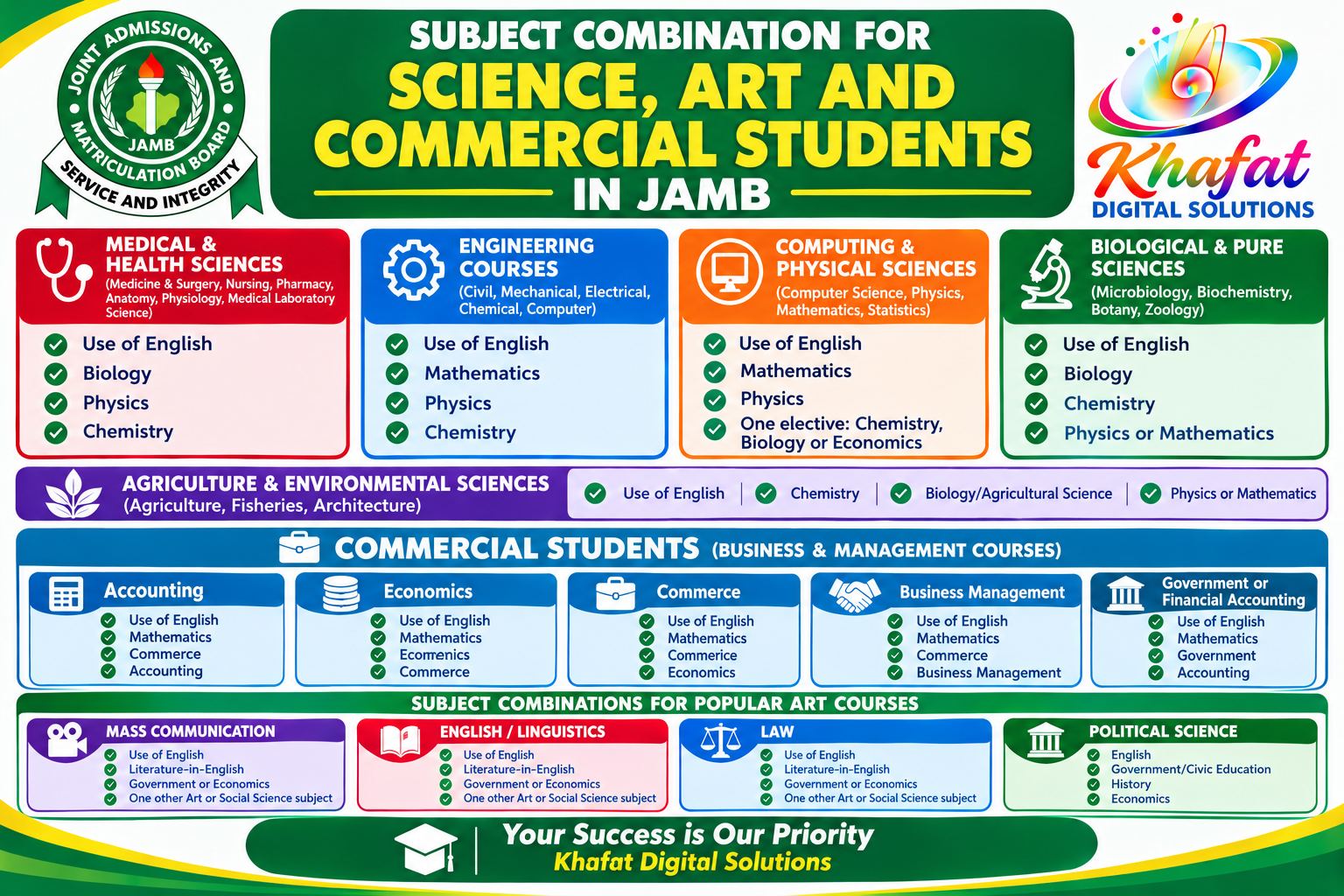
Know exactly which subjects your course needs before you register.
Create student account ₦ —
Registration fee: ₦ (one-time). It is required before your account is created. After this form you will see our bank account details. Pay by bank transfer, tell us the name you paid with, and your account becomes active once the payment is confirmed.
Student Dashboard
Average score
Candidate number
Exams taken
Stream / Focus
JAMB UTME mock results
Recent results
Study Materials & Practice
Read the notes for your stream's subjects, then self-test with an untimed practice run. The server still records each completed attempt.
JAMB Subject Combinations
Reference guide for choosing subjects. Always confirm requirements for your specific course on JAMB's official brochure.
CBT Examinations

JAMB UTME Practice (CBT)
This is independent practice material for the JAMB/UTME exam — not affiliated with or endorsed by JAMB.
Candidate:
- You will answer 4 subjects: Use of English (compulsory) and 3 others of your choice.
- The paper lasts 180 minutes. The clock is shown at the top right and the paper submits itself when time is up.
- Click an option or press A, B, C, D. Press N for next, P for previous.
- Use the number buttons to jump to any question in the subject. Green means answered.
- Each subject is scored out of 100, so the total is out of 400.
- If you refresh or lose network, log in again and click Start to continue from where you stopped.
(Independent practice — not affiliated with or endorsed by JAMB)